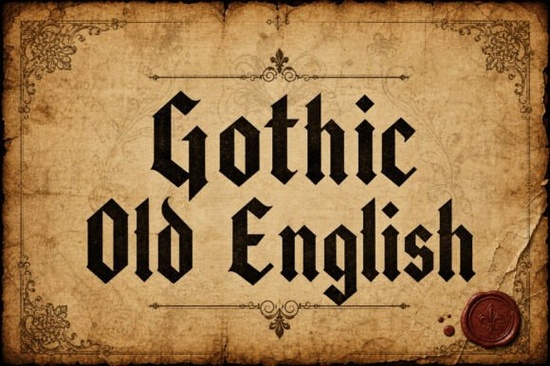
If you need a typeface that carries historical weight without looking outdated, the Gothic Old English Font delivers exactly that. It is a traditional blackletter display font built with sharp edges, solid structural lines, and a clear medieval influence. Designers, print-on-demand sellers, and small business owners often choose this style when a project needs to feel authoritative or quietly dramatic. Instead of relying on decorative flourishes, it leans on clean geometric cuts and authentic calligraphic proportions to make a statement.
What makes this blackletter style different from standard display fonts?
Most modern display fonts prioritize playfulness or minimalism. This one pulls directly from historical manuscript lettering, giving you a typeface that feels grounded and intentional. The letterforms are tall and narrow, with consistent vertical stress and crisp terminal cuts. That structure keeps the text readable at larger sizes while preserving the classic Old English silhouette. If you are browsing through a larger collection, you will notice how this approach compares when exploring more blackletter typefaces for branding or editorial work.
The spacing is also carefully handled. Blackletter fonts often suffer from cramped kerning, but this design leaves enough breathing room between characters to prevent visual clutter. You get the dramatic impact of a medieval script without sacrificing legibility on screen or in print.
Where does this typeface work best in real projects?
Because of its bold presence, it shines in applications where you only need a few words to carry the message. Common uses include:
- Brand logos that need a heritage or craft-focused identity
- Poster headlines for music events, festivals, or vintage campaigns
- Album covers and merch designs with gothic or rock aesthetics
- Certificates and awards that require a formal, ceremonial feel
- Tattoo flash sheets and custom lettering references
Print-on-demand sellers use it on t-shirts and stickers because the thick strokes hold up well during screen printing and direct-to-garment processes. Small businesses often pair it with clean sans-serif body text to create a balanced layout. If your project calls for a slightly different mood, you might consider trying a slightly softer medieval style that rounds out the sharp corners while keeping the historical vibe.
How do you keep it readable and visually balanced?
Blackletter fonts demand careful handling. The high contrast and intricate angles can quickly overwhelm a design if overused. Here is what works in practice:
Limit it to headlines or short phrases. Two to five words usually hit the sweet spot. Anything longer becomes difficult to scan, especially on mobile screens.
Pair it with neutral supporting fonts. A simple geometric sans-serif creates the right amount of contrast. Let the blackletter font be the focal point while the secondary typeface handles the details.
Watch your tracking and line height. Adding a small amount of letter spacing often improves clarity. If you stack multiple lines, increase the leading to prevent the ascenders and descenders from colliding.
When you need to source the files or check licensing options, you can view the Gothic Old English Font directly to grab the correct format for your software.
What should you verify before using it commercially?
Not all font licenses cover the same use cases. Before adding this typeface to a client project or product listing, double-check a few practical details. Make sure the download includes the file formats your design software requires, typically OTF or TTF. Verify whether the license covers physical products, digital downloads, or web embedding. Some licenses also limit impressions or require an extended license for large-scale merch runs.
It is also smart to test the font in your actual workflow. Open it in your preferred design or cutting software and type out your intended phrase. Check how the corners render at different sizes, and run a quick print test to see how the ink or vinyl handles the sharp terminals. A five-minute test saves hours of revision later.
Before you finalize your layout, run through this quick checklist:
- Confirm the license matches your intended use (personal, commercial, or POD)
- Test the font at actual print size to check stroke weight and corner sharpness
- Add slight tracking if the letters feel too tight on screen
- Pair with a simple, highly readable secondary font
- Export a sample mockup to verify contrast and hierarchy
Once those steps are clear, you can move forward with confidence. This style works best when you let it stand alone, keep the surrounding design clean, and trust the historical structure to do the heavy lifting.
Download Now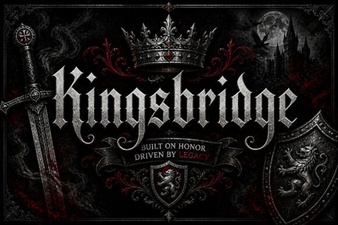 Kingsbridge Font for Elegant Designs
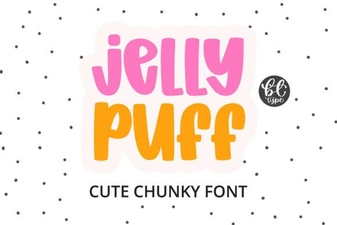 Creative Projects Using Jelly Puff Font
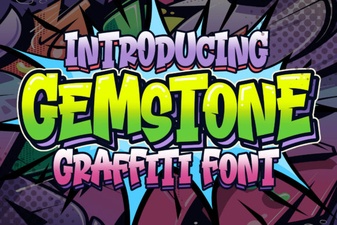 Crafting with the Gemstone Font Design Tool
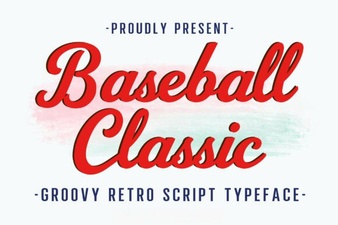 Baseball Typography for Creative Design Projects
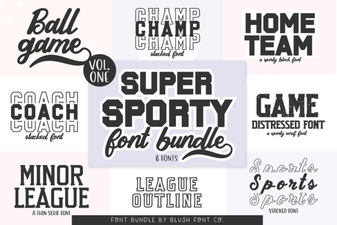 Super Sport Bundle Font: Design & Usability Guide
 Pokenom Font Design & Download Guide