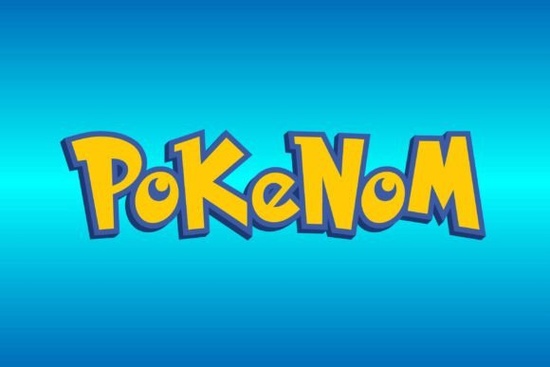
If you need a typeface that blends gothic edges with playful cartoon charm, Pokenom Font fits that niche perfectly. It is a decorative display font built for projects that need bold personality without sacrificing readability. Whether you design merch for print-on-demand stores, create gaming thumbnails, or craft custom apparel, this lettering style gives your work a distinct, hand-drawn feel that stands out on screens and physical products.
What makes this typeface different from standard display fonts?
Most decorative fonts lean heavily into vintage scripts or clean modern geometry. This one mixes gothic structural lines with rounded, cartoon-inspired curves. The result feels both edgy and approachable. It includes 96 carefully drawn glyphs and 95 standard characters, giving you full alphabet coverage plus stylistic alternates for customizing headlines. The spacing is tuned for short phrases, making it reliable for logos, poster titles, and product mockups where every letter carries visual weight.
Where does it work best in real design projects?
Because of its bold silhouette and playful details, this font shines in specific use cases. I recommend testing it in:
- Gaming and streaming branding: Channel banners, tournament posters, and thumbnail text that needs to grab attention quickly.
- Print-on-demand apparel: T-shirt quotes, hoodie graphics, and sticker packs where thick strokes hold up well during screen printing or DTG transfers.
- Children’s media and cartoon titles: Book covers, animation intros, and educational worksheets that benefit from a friendly yet structured look.
- Event posters and merch tables: Convention signage, indie game booth displays, and limited-run art prints.
If you regularly browse our collection of decorative display typefaces, you will notice how this style bridges heavy gothic lettering and lighthearted illustration fonts. It pairs nicely with cleaner sans-serifs for body copy, letting the decorative letters handle the headlines.
How do I get the best results when using it?
Decorative fonts require a slightly different workflow than standard body text. Here is what works in practice:
- Keep it short. Limit usage to three to five words per line. Longer sentences will feel crowded because the letterforms are intentionally wide and detailed.
- Adjust tracking manually. Increase letter spacing by 10 to 25 units in your design software. This opens up the gothic curves and prevents overlapping on capital letters.
- Test print sizes early. Run a quick proof at 100% scale before sending files to production. Thick decorative strokes can fill in on lower-resolution printers if the font size drops below 24pt.
- Pair with neutral backgrounds. High-contrast layouts work best. Dark text on light paper or white lettering on saturated backgrounds keeps the cartoon details sharp.
When you need a softer alternative for secondary branding elements, you might explore options like our elegant monogram styles to balance bold headers with refined accents.
What should I know about licensing and file setup?
Before adding any decorative typeface to a commercial workflow, check the included license file. Most desktop packages allow personal projects and small-batch sales, but print-on-demand platforms often require a commercial license. Install the OTF or TTF files through your system font manager, then restart your design software. Open the Glyphs panel to access extra stylistic alternates. Mapping those alternates to specific letters gives your layout a custom finish without redrawing vectors. Always verify your usage rights before publishing.
You can preview the full character set and check current licensing options for the Pokenom Font directly on the marketplace. Always download the latest version to ensure kerning pairs are up to date.
Is it worth adding to my design toolkit?
If your projects regularly call for bold, theme-driven typography, this typeface fills a specific gap. It saves time compared to hand-lettering every title, and the included alternates provide enough variation to avoid repetitive layouts. It is not meant for paragraphs or small UI text, but that is by design. Display fonts work best as visual anchors, and this one delivers exactly that. Keep it ready for quick mockups, seasonal merch drops, and client pitches.
Quick setup checklist before your next project:
- Install the font files and restart your design app
- Open the Glyphs panel to map alternates to key letters
- Set tracking to +15 and test a three-word headline
- Export a 100% scale proof to check stroke thickness
- Verify your license covers the intended sales channel
- Pair with a clean sans-serif for supporting text
 Butterfly Fonts for Personal Monogram Projects
 Creative Projects Using Jelly Puff Font
 Crafting with the Gemstone Font Design Tool
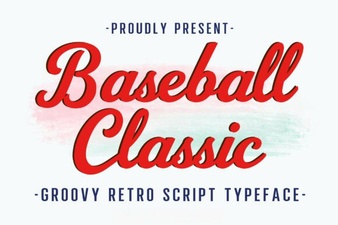 Baseball Typography for Creative Design Projects
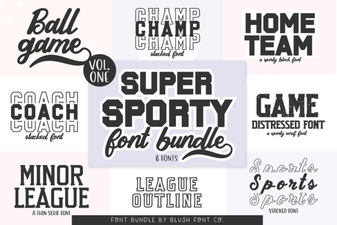 Super Sport Bundle Font: Design & Usability Guide
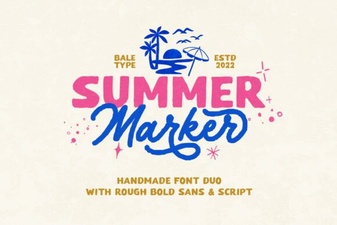 Creative Summer Marker Font Projects