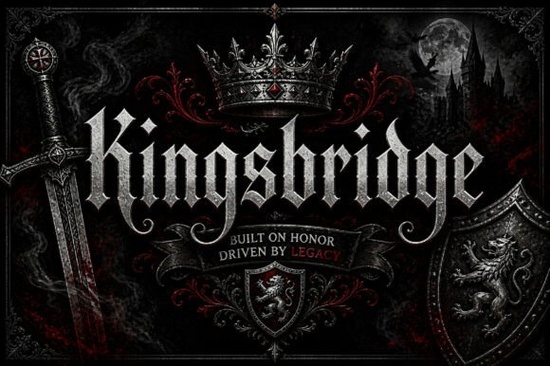
If you need a typeface that commands attention without feeling outdated, Kingsbridge Font delivers a clean balance of medieval inspiration and modern display usability. This blackletter style keeps the sharp edges and dramatic contrast that designers expect from gothic lettering, but it trims away the heavy clutter that often makes old English fonts hard to read. Whether you are building a streetwear brand, designing album artwork, or setting up print-on-demand merchandise, this lettering system gives you a strong visual anchor that works across both digital and print formats.
What makes this blackletter typeface different from others?
Traditional gothic scripts often lean too heavily into historical accuracy, which limits their use in contemporary branding. Kingsbridge takes a different approach by refining the letterforms for modern screens and high-resolution printing. The strokes maintain that classic sharpness, but the spacing is adjusted so words remain legible even at smaller sizes. You will also notice subtle swash details that add movement without overwhelming the overall structure. This makes it much easier to use for headlines, packaging labels, and short statements where clarity matters just as much as style.
If you regularly browse collections of heavy serif and medieval-inspired lettering, you will spot the difference right away. The contrast between thick and thin lines is controlled, and the character set includes enough alternates to keep layouts fresh. Designers who work with luxury branding or vintage aesthetics often pick this style because it reads as authoritative without feeling costume-like.
Where does a gothic display font work best in real projects?
Display typefaces are meant to be seen, not skimmed. This lettering system shines when you give it room to breathe. Here are practical places where it performs well:
- Brand logos and wordmarks that need a bold, memorable silhouette
- Poster titles and event graphics where hierarchy must be established quickly
- Apparel and merchandise designs that rely on strong typographic statements
- Tattoo flash sheets and custom lettering that require clean, scalable vectors
- Packaging labels for craft beverages, cosmetics, or limited-edition releases
Small business owners and print-on-demand sellers use this style to create instant visual recognition. Because the letterforms carry heavy visual weight, you can pair them with simple layouts and still get a polished result. When setting up a new shop banner or product mockup, you can explore how this specific blackletter collection fits into your existing templates before committing to a full rebrand.
How do I pair and format heavy lettering without losing readability?
Working with bold gothic type requires a light touch. Avoid overcrowding the page or pairing it with another decorative font. Stick to clean, neutral sans-serifs for body copy. Let the display font handle the headline, and keep supporting text between 10 and 12 points for print, or 14 to 16 pixels for web.
Tracking and leading matter more than usual here. Increase letter spacing slightly in all caps, and give each line extra vertical room so sharp descenders do not clash with ascenders below. If you use swash alternates, limit them to the first or last letter. Too many flourishes will distract from your message.
For reference on how professional studios handle ornate typefaces, you can review the official listing for Kingsbridge Font to see real-world mockups and licensing details before adding it to your toolkit.
What should I check before downloading a new typeface?
Not every font file is built the same way. A quick review saves hours of troubleshooting later. Before you install and start designing, run through these steps:
- Verify that the download includes both OTF and TTF formats for cross-software compatibility
- Check the character map for punctuation, numbers, and multilingual support if you sell internationally
- Confirm the commercial license covers your intended use, especially for print-on-demand and digital products
- Test the font at multiple sizes to ensure strokes do not fill in or blur when scaled down
- Install through your operating system’s font manager rather than dragging files directly into design software
Validating these details keeps your workflow smooth and prevents licensing issues. When your files are organized and usage rights are clear, you can focus on building designs that convert.
Quick next step: Open your current project file, replace the placeholder headline with this blackletter style, adjust tracking by +15, and pair it with a plain sans-serif. Export a mockup, check contrast on light and dark backgrounds, and save the preset. This simple test shows exactly how the typeface behaves in your workflow before you build a full campaign around it.
Explore Design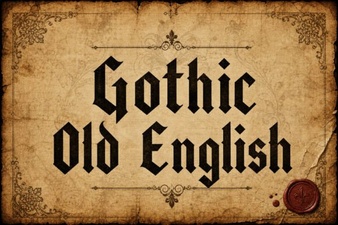 Crafting with Classic Gothic Old English Font
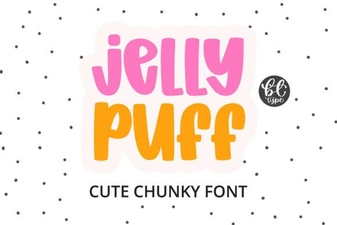 Creative Projects Using Jelly Puff Font
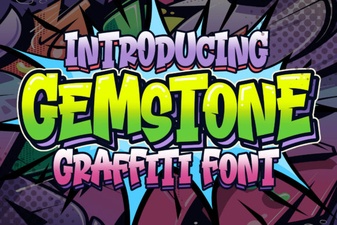 Crafting with the Gemstone Font Design Tool
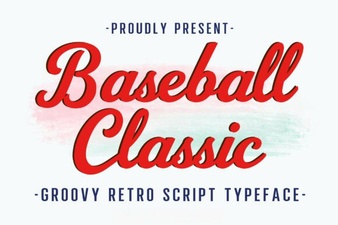 Baseball Typography for Creative Design Projects
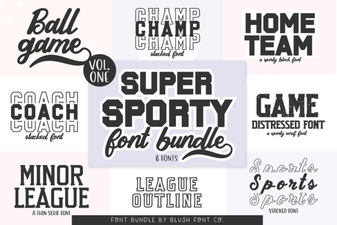 Super Sport Bundle Font: Design & Usability Guide
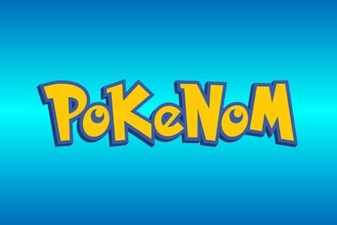 Pokenom Font Design & Download Guide