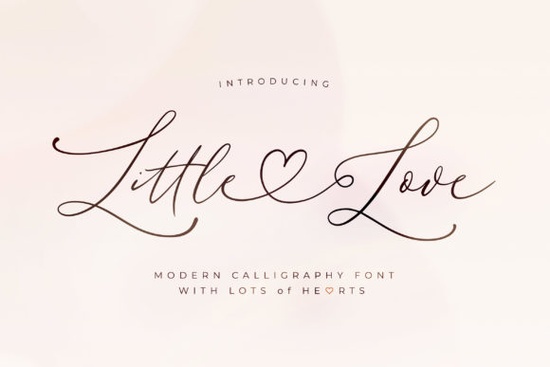
When you need a typeface that feels personal but still reads clearly on screen and in print, a lightweight script is usually the safest choice. Little Love Font fits that niche perfectly. It carries a clean, thin line weight and a smooth flow that works well for everything from wedding stationery to everyday product labels. If you design for print-on-demand, run a small crafting business, or just want your digital projects to look polished without spending hours on layout tweaks, this style of lettering saves time and keeps your message readable.
What makes this script font different from heavier alternatives?
Many decorative typefaces rely on thick strokes that blur when scaled down or printed on textured materials. This one takes the opposite approach. The thin, consistent baseline keeps letters from crowding each other, which matters when you are working with small tags, jewelry cards, or mobile-friendly graphics. The smooth curves also prevent that jagged, pixelated look that sometimes happens with low-resolution exports. Because the design stays refined rather than overly ornate, you can use it for formal branding and casual DIY projects without it feeling out of place.
Another practical detail is the PUA encoding. If you have ever struggled to find alternate characters in your design software, you know how frustrating hidden glyphs can be. With full PUA support, every swash and stylistic alternate shows up directly in your font menu. You do not need extra plugins or complicated workarounds to access them.
Which projects actually benefit from a thin, graceful typeface?
Not every design needs bold, attention-grabbing letters. Sometimes you want the text to complement the layout instead of competing with it. Here are a few places where a lightweight script consistently performs well:
- Wedding and event stationery: Invitations and place cards look polished when the lettering stays airy and legible.
- Print-on-demand apparel: Thin scripts print cleanly on fabric, especially with heat transfer vinyl or direct-to-garment methods.
- Small business packaging: Product labels and candle jars need text that reads quickly without overwhelming the design.
- Social media quotes: The smooth baseline keeps lines aligned, making it easier to stack phrases without manual kerning.
How do I get the most out of the swashes and alternates?
Swashes add flair, but they can quickly clutter a layout if overused. Reserve them for the first and last letters of a word, or for standalone initials on monogram designs. Since the font is fully encoded, you can preview each alternate in your software before committing. In Cricut Design Space, open the text tool and click the glyph icon to swap characters. In Illustrator or Photoshop, use the Glyphs panel to drag and drop alternates directly onto your canvas.
Keep your line spacing slightly loose. Thin scripts need breathing room, especially when you add decorative tails. A leading value between 1.2 and 1.4 usually prevents ascenders and descenders from touching. If you are cutting vinyl, remember that very thin lines can weed poorly. Test a small sample first, or add a subtle offset stroke in your cutting software to give the blade more material to grip.
What should I pair it with for balanced layouts?
A delicate script almost always needs a straightforward companion font to ground the design. Sans-serif typefaces with neutral proportions work best because they do not fight for attention. If you prefer staying within the same creative family, you can experiment with other handwriting styles for secondary accents. For example, a casual brush type like hello honey can add texture to background elements, while a more structured option like better together works nicely for subheadings. When you need something with a relaxed rhythm, honeymoon handwriting keeps the mood light. And if your project leans toward retro themes, swapping the script for a bold display like baseball classic on accent words creates a clear visual hierarchy.
Quick setup checklist before you start designing
- Install the font file and restart your design software to clear cached lists.
- Open the Glyphs panel to map out your favorite swashes before typing full phrases.
- Set line height to at least 1.2x and test print a small sample at actual size.
- Pair the script with a plain sans-serif for body copy to maintain readability.
- Save a styled text preset so you can reuse the spacing across future projects.
Take a few minutes to test the typeface on your actual medium before finalizing the layout. A quick print on your target paper, fabric, or vinyl will show you exactly how the thin strokes hold up, and you can adjust spacing before sending the full order to production.
Explore Design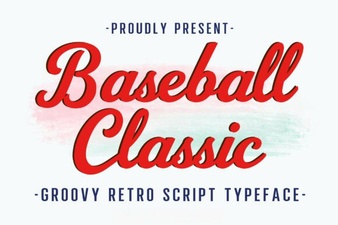 Baseball Typography for Creative Design Projects
 Groovy Font Styles for Creative Project Designs
 Designing Sweet Text with Biscuit Font
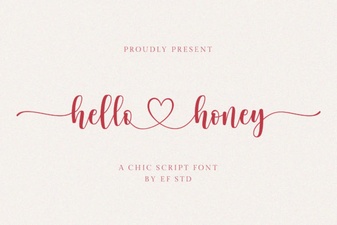 The Hello Honey Font: Creative Handcrafted Designs
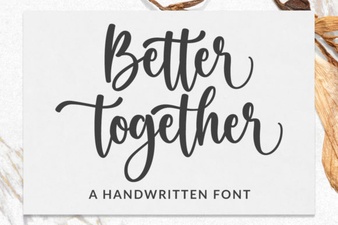 Better Together Font: Design for Collaboration
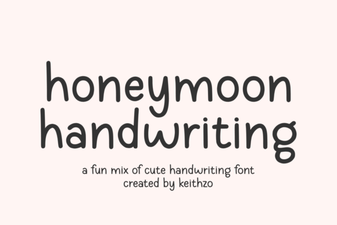 Honeymoon Font: Romantic Handwriting for Design Projects