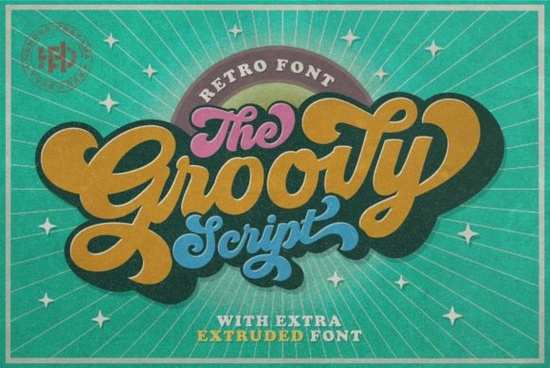
If you are looking for a typeface that captures the relaxed, free-spirited vibe of late 1960s and 1970s advertising, Groovy Font delivers exactly that. This nostalgic script brings a funky, hand-drawn feel to retro layouts without sacrificing readability. Whether you design t-shirts for a print-on-demand shop, create casual wedding invitations, or build branding for a small boutique, the right vintage lettering can set the tone instantly.
What makes this retro typeface stand out?
The letterforms borrow from classic magazine ads and concert posters. You will notice soft curves, gentle swashes, and a natural bounce that mimics actual brush lettering. Unlike heavily distressed vintage typefaces, this one keeps clean edges, so it scales well for digital mockups and physical prints. The spacing is tuned for headlines, so give each word room to breathe. If you need a typeface that feels authentic rather than artificially aged, this script hits the right balance.
Which projects work best with a 70s style script?
Retro lettering shines when you match it to the right medium. Here are a few places where this style consistently performs well:
- Apparel and accessories: Short quotes, band-style logos, and nostalgic slogans print cleanly on cotton and polyester blends.
- Packaging and labels: Candle jars, coffee bags, and cosmetic tins gain instant shelf appeal with a warm, hand-crafted header.
- Social media graphics: Story templates and promotional banners catch attention when paired with muted earth tones or faded sunset palettes.
- Event stationery: Birthday invites, festival flyers, and casual save-the-dates feel more personal with a relaxed script.
Keep your text short. Long paragraphs will lose the playful rhythm, so reserve this font for titles, accents, and two-to-four word statements.
How do you pair it with other typefaces?
A strong retro layout usually combines one expressive script with a clean companion. You can browse the full collection of retro scripts to see how different weights interact, but the rule stays simple: let the decorative font lead. A geometric sans-serif or plain serif grounds the design and improves readability on smaller screens.
If you want a softer contrast for lifestyle branding, test a lighter handwriting style alongside your header. Some designers mix it with a delicate casual script for subheadings, while others prefer a friendly paired typeface to keep the mood upbeat. When your project needs something bolder, a thick display alternative can anchor the composition. For slightly worn textures, exploring a hand-crafted vintage option adds the right amount of grit to posters.
What should you check before downloading?
Not all script fonts include the same features, so a quick review saves time. Verify you receive .OTF and .TTF files, which install smoothly on Windows and Mac. If you use Cricut Design Space or Silhouette Studio, restart the program so the software recognizes the new typeface. Check the character set for uppercase, lowercase, numbers, and basic punctuation. Finally, read the commercial license carefully. Standard licenses usually cover physical goods and digital files, but print-on-demand platforms often require a specific POD agreement.
Where can you find the official download?
You can preview the character map, test custom phrases, and grab the licensed files through the Groovy Font page. The live preview tool lets you adjust sizing and check swash connections before purchasing, which helps crafters confirm that specific names will render correctly on custom orders.
Quick setup checklist before you start designing:
- Install the font files and restart your design software to refresh the type menu.
- Type your headline in lowercase first, then toggle caps to see which ligatures appear.
- Increase letter spacing slightly if the swashes overlap too tightly on your background.
- Export a test print at 100% scale to check stroke thickness for vinyl or heat transfer.
- Save a layered backup file so you can swap the typeface later without rebuilding the layout.
Take a few minutes to test your wording, adjust the spacing, and run a sample print. Once the layout feels balanced, you will have a retro design that looks intentional, reads clearly, and sells consistently.
Download Now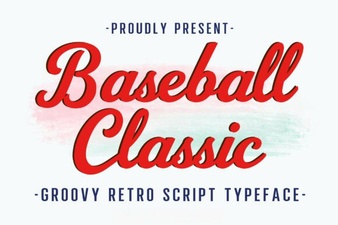 Baseball Typography for Creative Design Projects
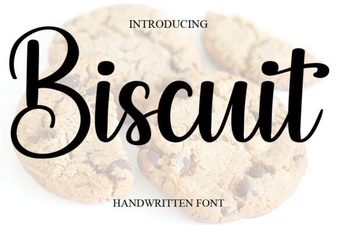 Designing Sweet Text with Biscuit Font
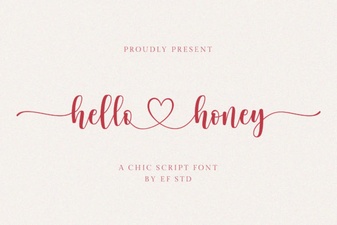 The Hello Honey Font: Creative Handcrafted Designs
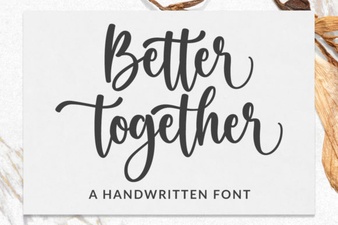 Better Together Font: Design for Collaboration
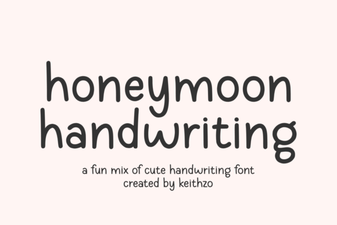 Honeymoon Font: Romantic Handwriting for Design Projects
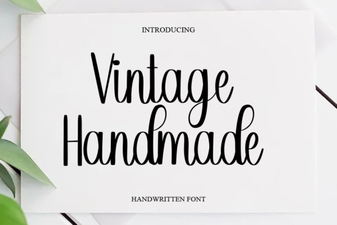 Creative Vintage Fonts for Your Diy Designs