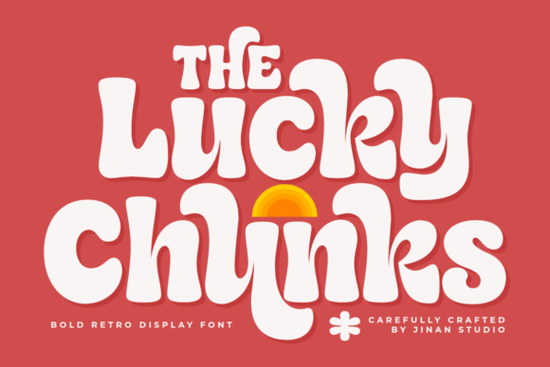
If you need a typeface that instantly adds warmth and nostalgia to your layouts, Lucky Chunks Font delivers exactly that. This bold retro display font combines soft rounded curves with a playful groovy vibe, making it a reliable choice for designers, crafters, and print-on-demand sellers who want their work to feel friendly and approachable. The letterforms draw inspiration from 1970s handmade signage, giving you that authentic vintage texture without the hassle of scanning old posters or tracing faded packaging.
What makes this retro display font stand out?
Most chunky typefaces lean heavily into sharp edges or exaggerated distortion, but this one keeps things smooth and readable. The thick strokes are balanced with generous spacing, which means your headlines won’t feel cramped even at larger sizes. You’ll notice how the rounded terminals and flowing edges create a gentle rhythm across each word. That subtle handmade quality works especially well when you want to communicate comfort, creativity, or a laid-back brand personality. Instead of fighting for attention with overly complex details, the font lets your message breathe while still holding visual weight on screen and in print.
Which projects work best with chunky vintage lettering?
Because the characters carry so much personality, they shine in designs that need a clear focal point. Think about where your audience will see the text first and how quickly they need to understand it. Here are a few practical applications where this style consistently performs well:
- Apparel and stickers: The thick curves print cleanly on cotton blends and vinyl, reducing the risk of ink bleeding or fine lines disappearing during production.
- Café and boutique branding: Menu headers, window decals, and loyalty cards gain a welcoming, neighborhood feel when paired with warm color palettes.
- Social media quotes and album covers: The rounded shapes hold up nicely on mobile screens, keeping your text legible even when scaled down for stories or thumbnails.
- Kids products and party invites: The playful structure matches lighthearted themes without looking overly childish or cartoonish.
If you’re building a collection of display typefaces for different moods, you might also want to keep a softer handwritten option on hand for contrast, or browse a polished geometric alternative when your layout needs sharper lines.
How do you pair a bold 70s style typeface with other fonts?
Heavy display fonts work best when they carry the main message, while supporting text stays clean and unobtrusive. A simple sans serif or a light serif usually does the trick for body copy, captions, and fine print. When you’re arranging a poster or product label, try placing the chunky letters at the top or center, then let the secondary font handle details like dates, ingredients, or website URLs. If your design calls for a second decorative typeface, pick something with a completely different structure. For example, a wavy casual style can add movement to subheadings, while an elegant script variation works nicely for signatures or short accent phrases. Just remember to limit decorative fonts to two per layout so the hierarchy stays clear.
What should you check before downloading a commercial font?
Not all typeface licenses cover the same uses, and skipping the fine print can cause headaches later. Before you add any font to your toolkit, verify a few practical details:
- Commercial rights: Confirm whether the license allows print-on-demand sales, digital products, or client work.
- File formats: Look for OTF and TTF files so you can install the font across Windows, Mac, and design software without compatibility issues.
- Glyph coverage: Check that the character set includes the punctuation, numbers, and special symbols your project requires.
- Web and app usage: Some desktop licenses do not automatically cover website embedding or mobile applications.
When you’re exploring seasonal or themed alternatives, a festive vintage option might suit holiday campaigns, but always match the license to your actual selling platform.
How can you test and prepare your files for production?
Installing and testing a new typeface only takes a few minutes, but a quick quality check saves time later. After you install the files, open your preferred design program and type out real headlines instead of placeholder text. Check how the letters interact at different sizes, and toggle kerning or tracking if certain character combinations feel too tight. If you’re preparing files for print, convert your text to outlines before sending them to the printer to avoid missing font errors. For digital use, export a test image and view it on both desktop and mobile to ensure readability holds up across devices.
- Install both OTF and TTF files to cover all design software requirements.
- Type actual project copy to check spacing, weight, and line height.
- Adjust tracking slightly if thick strokes cause letters to touch at small sizes.
- Convert text to outlines before exporting final print files.
- Save a license text file in your font folder for quick reference during client or shop audits.
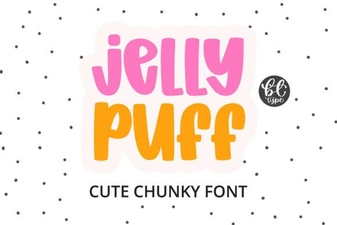 Creative Projects Using Jelly Puff Font
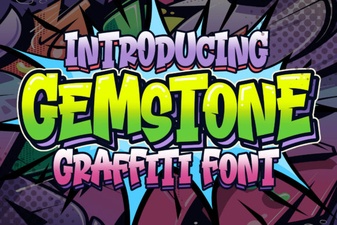 Crafting with the Gemstone Font Design Tool
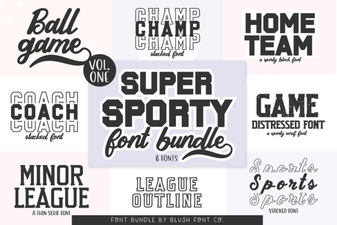 Super Sport Bundle Font: Design & Usability Guide
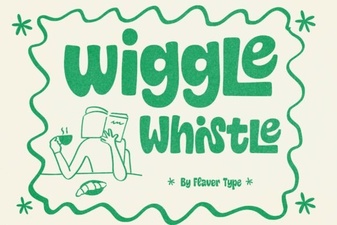 The Wiggle Whistle Font: Design Inspiration Guide
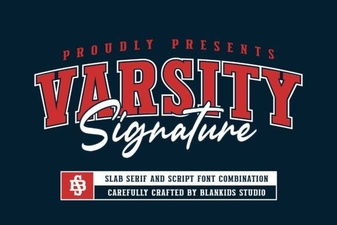 Design Your Team Spirit with Varsity Signature
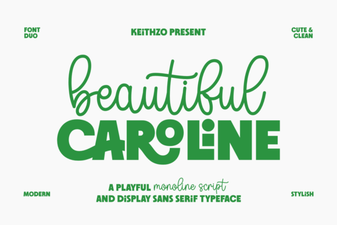 Download the Beautiful Caroline Font for Creative Designs