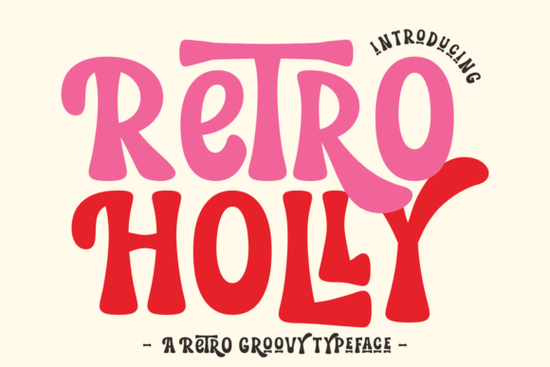
If you are looking for a typeface that blends vintage warmth with modern playfulness, Retro Holly Font delivers exactly that. This boho-inspired display font captures the free-spirited energy of the 1970s while keeping lines clean enough for today’s branding and craft projects. Whether you run a small print-on-demand shop, design stickers for your online store, or cut vinyl with a Cricut machine, the handwritten curves and bold bubble letterforms give your work an instant nostalgic feel without looking dated or hard to read.
What makes this retro display font stand out for crafters and designers?
The charm of this typeface comes from its careful balance of psychedelic artistry and readable structure. Unlike heavily distressed vintage fonts that lose clarity at small sizes, this design keeps its shapes smooth and well-spaced. The thick strokes and rounded terminals create a friendly, approachable vibe that works especially well for summer-themed graphics, festival posters, and lifestyle branding. You will notice how the letters carry a natural bounce, mimicking hand-painted signage from decades past while remaining fully optimized for digital use. If you enjoy experimenting with different moods, you might also browse through a gemstone-inspired lettering collection when you need something with a slightly sharper geometric edge.
Which projects work best with a groovy handwritten style?
This font shines when you want your design to feel personal and slightly playful. Print-on-demand sellers frequently use it for t-shirt graphics, tote bags, and mugs because the bold weight holds up well during screen printing and heat transfer. Crafters love it for layered vinyl decals, greeting cards, and scrapbook titles where the alternate characters add a custom touch. It also performs reliably as a logo or sticker font, giving small businesses a recognizable mark that stands out on social media feeds. When you are building a seasonal product line, pairing it with a sporty display bundle can create an interesting contrast between retro relaxation and active energy.
How do the extra font styles and file formats help your workflow?
One of the most practical features is the inclusion of multiple style variations. You get wavy, chunky, and swash versions right in the package, which means you can switch up the rhythm of your text without hunting for add-ons. The wavy style adds movement to headers, the chunky cut works beautifully for short quotes, and the swash alternates let you extend letter tails for a more illustrated look. Everything comes ready in both SVG and PNG formats, so you can drop files straight into Cricut Design Space, Silhouette Studio, or Procreate without conversion headaches. For designers who prefer a more rugged aesthetic, a western-style lettering set often complements the softer curves when you are building a mixed-theme brand kit.
What should you pair it with for balanced layouts?
Because this is a bold display typeface, it works best when you let it take the spotlight. Use it for main titles, short phrases, or brand names, then pair it with a clean sans-serif or a light serif for body text. Keep your color palette warm and muted if you want that authentic vintage feel, or go bright and saturated for a modern pop look. When spacing your letters, give the rounded forms a little extra breathing room so the bubble effect does not feel cramped. If you are testing different weights for a campaign, you might also compare it against a chunky display alternative to see which thickness matches your mockup best. When you are ready to explore similar lettering options, the full retro display collection makes it easy to compare weights and alternates side by side. You can also preview Retro Holly Font directly on the marketplace before downloading.
How do you get the most out of this font before printing or cutting?
Before you send your design to the printer or cutting mat, run through a quick setup check. Convert your text to outlines if you are sharing files with a print shop, and always test a small sample cut when working with intricate vinyl layers. The SVG files are already optimized for clean paths, but adjusting the blade pressure or print resolution can make a noticeable difference on textured paper or fabric. Keep your original editable files organized in folders by project type, so you can swap out the wavy or swash variations later without rebuilding the layout from scratch.
Quick setup checklist before you start designing:
- Install the font files and restart your design software to load all alternates
- Test the wavy, chunky, and swash styles at your intended print size
- Pair the display font with a simple, readable body typeface
- Export a high-resolution PNG or vector SVG for your cutting machine
- Run a test print or small vinyl cut to check spacing and line thickness
Once your files are prepped, you can move straight into production. The font is ready for personal and commercial use, so you can list your finished products, share your mockups, and start taking orders without extra licensing steps.
Learn More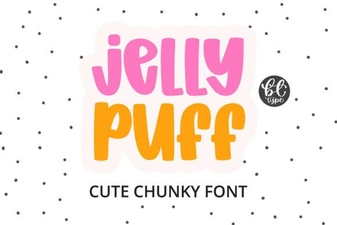 Creative Projects Using Jelly Puff Font
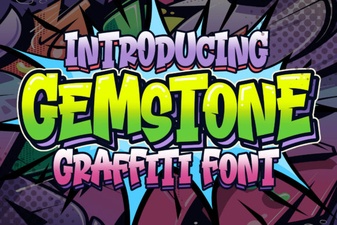 Crafting with the Gemstone Font Design Tool
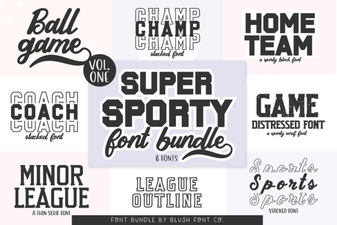 Super Sport Bundle Font: Design & Usability Guide
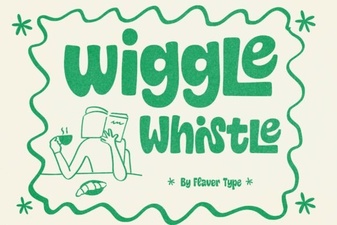 The Wiggle Whistle Font: Design Inspiration Guide
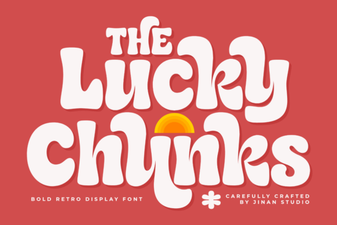 Lucky Chunks Font: Fun & Easy Gameplay Typography
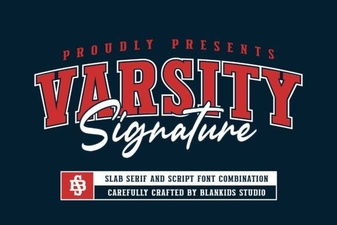 Design Your Team Spirit with Varsity Signature